
Texts & Calls
Text messaging with customers (SMS)
How texting with customers works in LeadWinner: your dedicated business number, replying by SMS, and what happens when a customer texts STOP.
Some customers answer texts faster than platform messages. LeadWinner can text the customer one AI-generated SMS as soon as a lead arrives, then relay the conversation between you and the customer — through a dedicated phone number that belongs to your business.
Turn it on
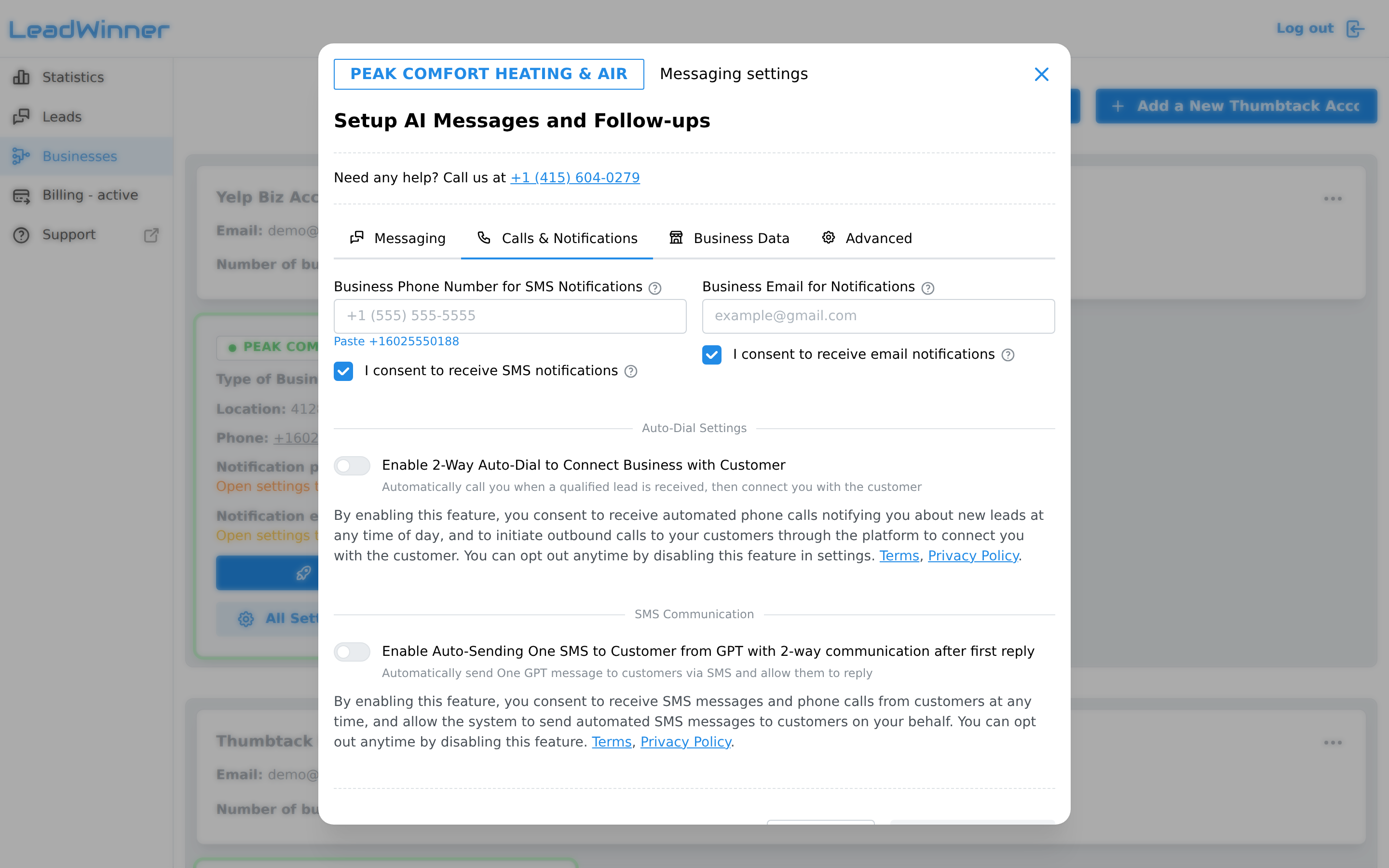
Getting there: open Businesses, find your business card, click “All Settings”, and open the Calls & Notifications tab — the SMS Communication section.
- Enable “Enable Auto-Sending One SMS to Customer from GPT with 2-way communication after first reply.” (For Google LSA businesses, the equivalent feature is “Missed Call SMS Recovery” — if a customer calls through LSA and you don’t answer, we text them so the lead isn’t lost.)
- Enter your ZIP code — we assign a texting number local to your area.
- Enter your “Business Phone Number for SMS and Calls” — your real phone, where customer texts and calls to the assigned number are forwarded.
- Check the consent box and click “Assign Phone Number for SMS Communication.”
For example, Bright Peak Plumbing might get the number (555) 010-4432 — that’s the number customers see texts from.
How the conversation flows
- The AI sends one SMS to the customer per lead. AI follow-ups are not sent by text.
- When the customer replies, their text is forwarded to your phone.
- To answer, text back to your LeadWinner number starting with the lead tag shown in the forwarded message (for example,
@214 Yes, we can come Thursday morning). Your reply reaches the customer from your business number. - Conversations are capped at 100 total messages, 1,000 characters per message.
- The recent AI-sent texts are listed in the same settings section, and every text also appears in the lead’s timeline.
Consent and opting out
By enabling this feature, you consent to receive SMS messages and calls from customers and to automated texts being sent to customers on your behalf. You can opt out anytime by disabling the feature.
Customers stay in control too:
- If a customer replies STOP (or a similar opt-out word), automated texting to that customer stops immediately — and automated calls to them stop as well. You’ll get an email, the lead shows an “SMS opted out” badge, and the timeline records it.
- Only the customer can resume: if they text START, messaging resumes automatically.
Keep your number
Your assigned number stays yours while your plan is active. If your plan is inactive for more than 30 days, the number is permanently released and can’t be recovered.
If something’s not working
- The customer stopped receiving texts. Look for the “SMS opted out” badge on the lead — the customer replied STOP, and only they can resume it by texting START.
- Your reply never reached the customer. Make sure your text starts with the lead tag exactly as shown in the forwarded message (for example,
@214), and that it’s sent to your LeadWinner number. - The conversation went quiet mid-thread. Conversations are capped at 100 total messages and 1,000 characters per message — check the lead’s timeline for what was delivered.
Questions about texting? Contact support — include your business name, and we’ll check the number on our side.