
Getting Started
Connect your Yelp business account
Connect Yelp to LeadWinner through Yelp's official authorization page — no password sharing — and your quote requests get AI replies in about 10 seconds.
LeadWinner connects to Yelp through Yelp’s official authorization flow. You sign in on Yelp’s own site and approve the connection — we never see or store your Yelp password. The whole thing takes about two minutes.
Before you start
- You need access to the Yelp business account that receives your leads (the login used for Yelp for Business).
- If someone else owns the account, you can send them an authorization link instead — see below.
Steps
Getting there: sign in to your dashboard and open Businesses.
- Click “Add a New Yelp Biz Account”.
- A window titled “Connect your Yelp Business Account” opens. Click “Add an account from Yelp”.
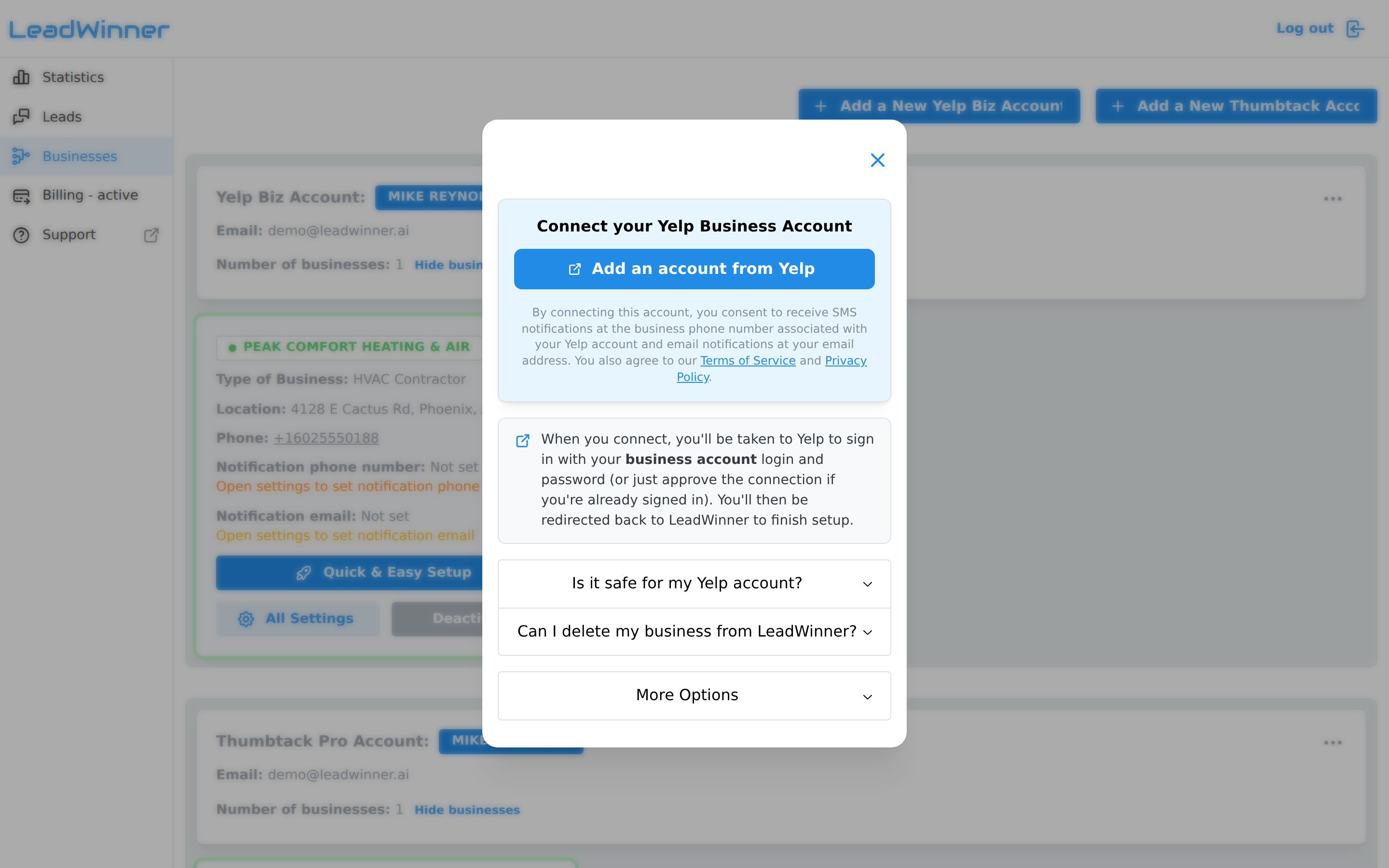
- A new tab opens on Yelp. Sign in with your Yelp business login and password (or just approve the connection if you’re already signed in).
- Approve the connection. Yelp redirects you back to LeadWinner, and a confirmation banner appears on the Businesses page.
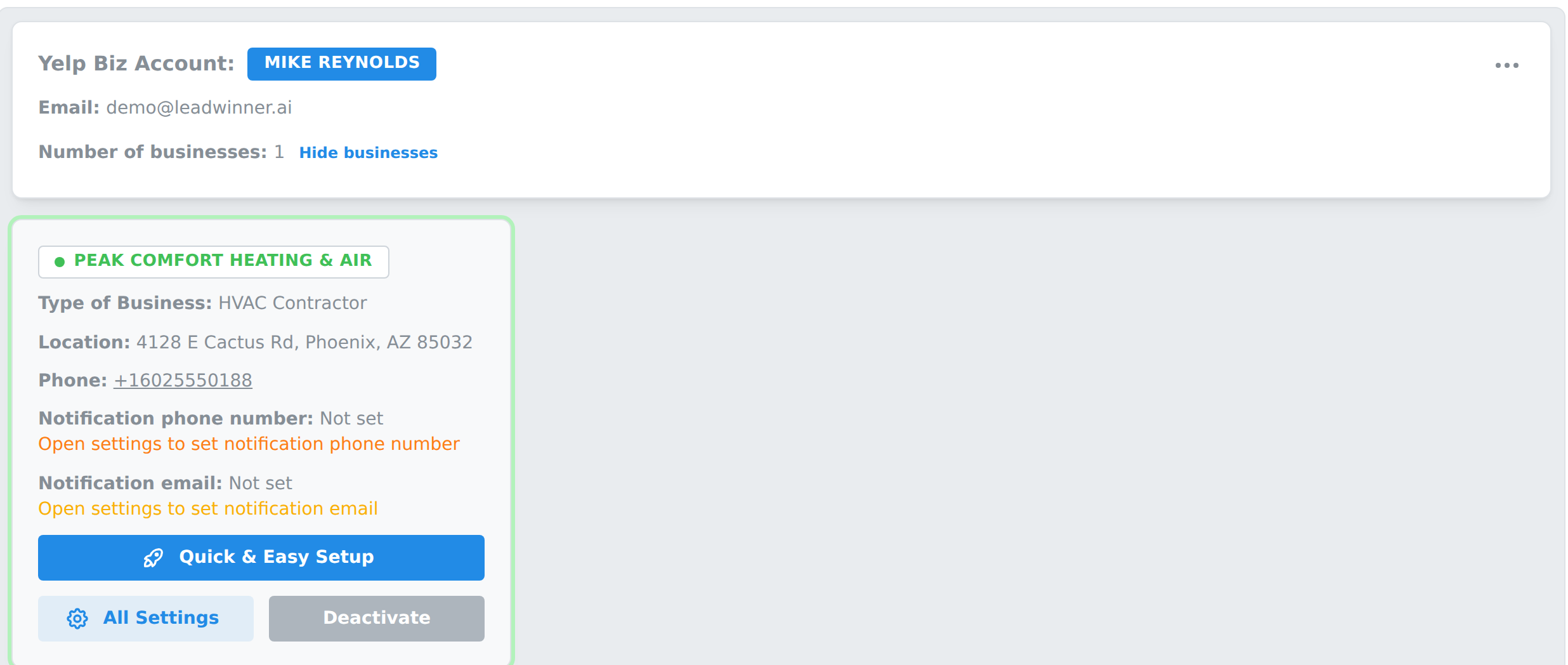
Your Yelp account now shows as a card on the Businesses page, with each of your Yelp businesses listed inside it.
What comes over from Yelp
- Leads — new customer requests, each with its conversation attached. They appear on your Leads page from the moment the connection is approved; requests that arrived before you connected aren’t imported.
- Earlier messages — if a tracked lead has history from before you connected, it shows inside the lead marked “Before LeadWinner.”
- Phone numbers — Yelp shares a customer’s number only after the customer attaches it to the request or types it in the conversation. Until then, the conversation runs through Yelp messages — that’s Yelp’s rule, not a missing feature.
The account owner isn’t you?
In the connect window, expand “More Options” to reveal a shareable authorization link. Copy it and send it to the Yelp account owner — when they open the link and approve, the account connects to your LeadWinner workspace.
Is it safe for my Yelp account?
Yes. The connection uses Yelp’s secure authorization (OAuth): we never see your password, and access is limited to reading and replying to your leads. No connected account has ever been penalized, restricted, or suspended by Yelp for using LeadWinner. You can also remove a business from LeadWinner anytime, in a couple of clicks.
And if the connection ever drops, nothing is lost: your settings, leads, and conversation history stay in place — you just approve the connection again.
Notifications
By connecting, you consent to receive SMS notifications at the business phone number associated with your Yelp account and email notifications at your email address. You can adjust notification settings later in each business’s settings.
If something’s not working
- An error banner appears after returning from Yelp. Run the flow again from “Add a New Yelp Biz Account”, and make sure you sign in with your Yelp business login — not a personal Yelp account.
- The account connected, but a business is missing. Click “Show businesses” on the account card — an account can contain several businesses, and the list may be collapsed.
- A lead is on Yelp but not in LeadWinner. See A lead didn’t appear.
- Leads arrive, but the AI stays silent. See The AI didn’t reply — checklist.
Next steps
- What happens after you connect — activate your business and finish setup.
Questions about connecting Yelp? Contact support — include your account email, and we’ll take a look.